Applications
Tasks, projects and workflows
One work list for you, your team and your agents, from a single task to a workflow.
One list for all your work
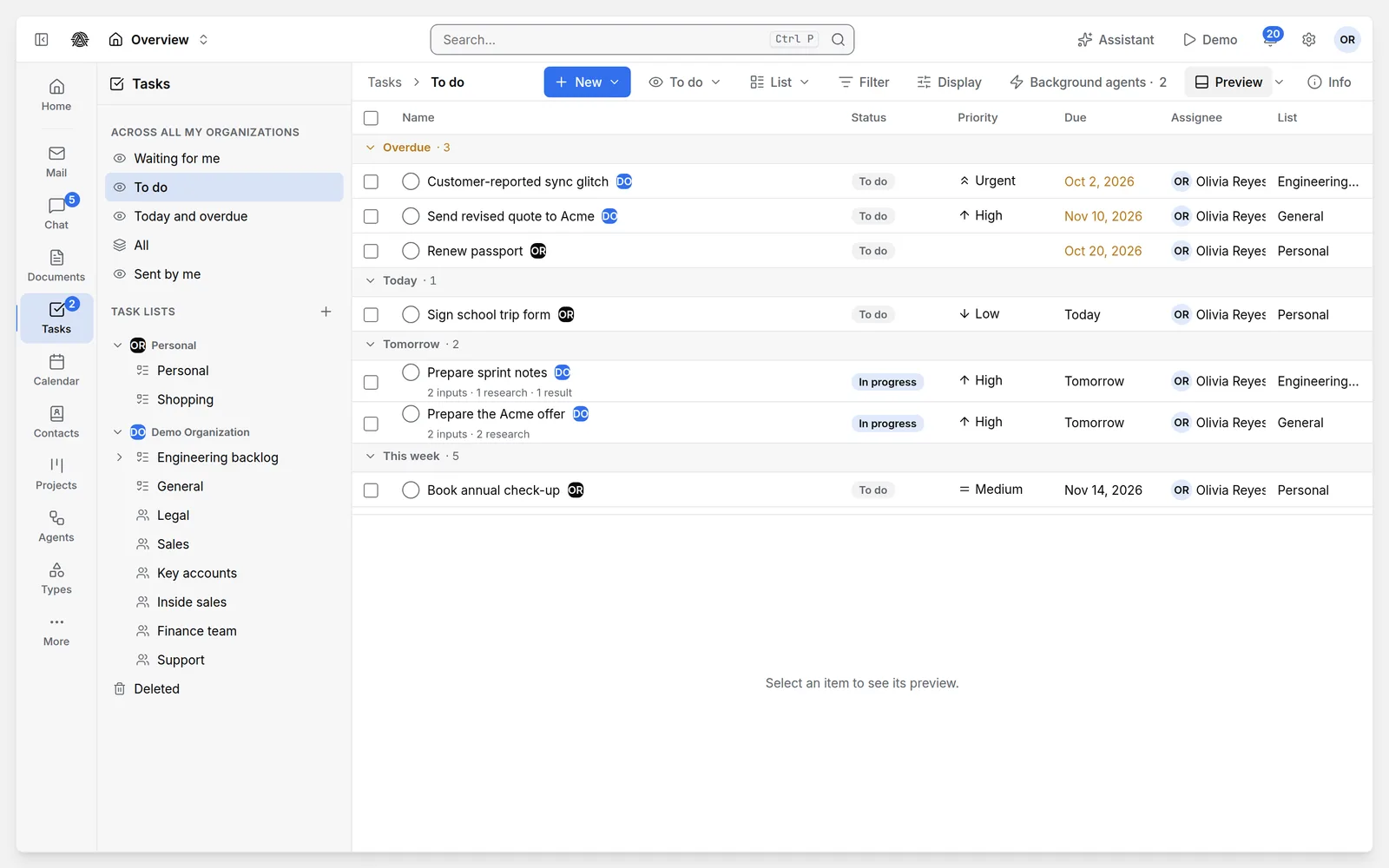
Tasks from every source land in one work list: the ones you create, the ones assigned to you, the action items from your meeting notes, and tasks made from emails. Your own list is private until you share it.
See it in the demo:
What a task holds
A task has a description, a due date, a priority, an assignee and labels, and it can be split into smaller tasks. Each task is linked to what it is about, such as a customer, a project or a document.
From To do to Done
A task moves from To do through In progress to Done. It can be Blocked, with a reason, or Waiting for approval. See it as a list or as a board.
An approval as a task
An approval is a task too: approve, ask for changes, or reject.
People and agents on the same list
Agents use the same work list as people, with the same rights, the same history and the same record of every action. Give a task to an agent, and you review the result before anything is saved.
See it in the demo:
Projects
A large step becomes a project with its own plan, tasks, people and progress. The step is done when the project is done.
Workflows
A task becomes a workflow, with steps for you, a colleague, a role or an agent, and it waits for a person, a date or an event. People and agents
Talk about the work
Comments sit right on the task, so the discussion stays with the work.