
Applications
Documents
A complete document management system: every file in libraries and folders, with types, properties, versions and links to your work.
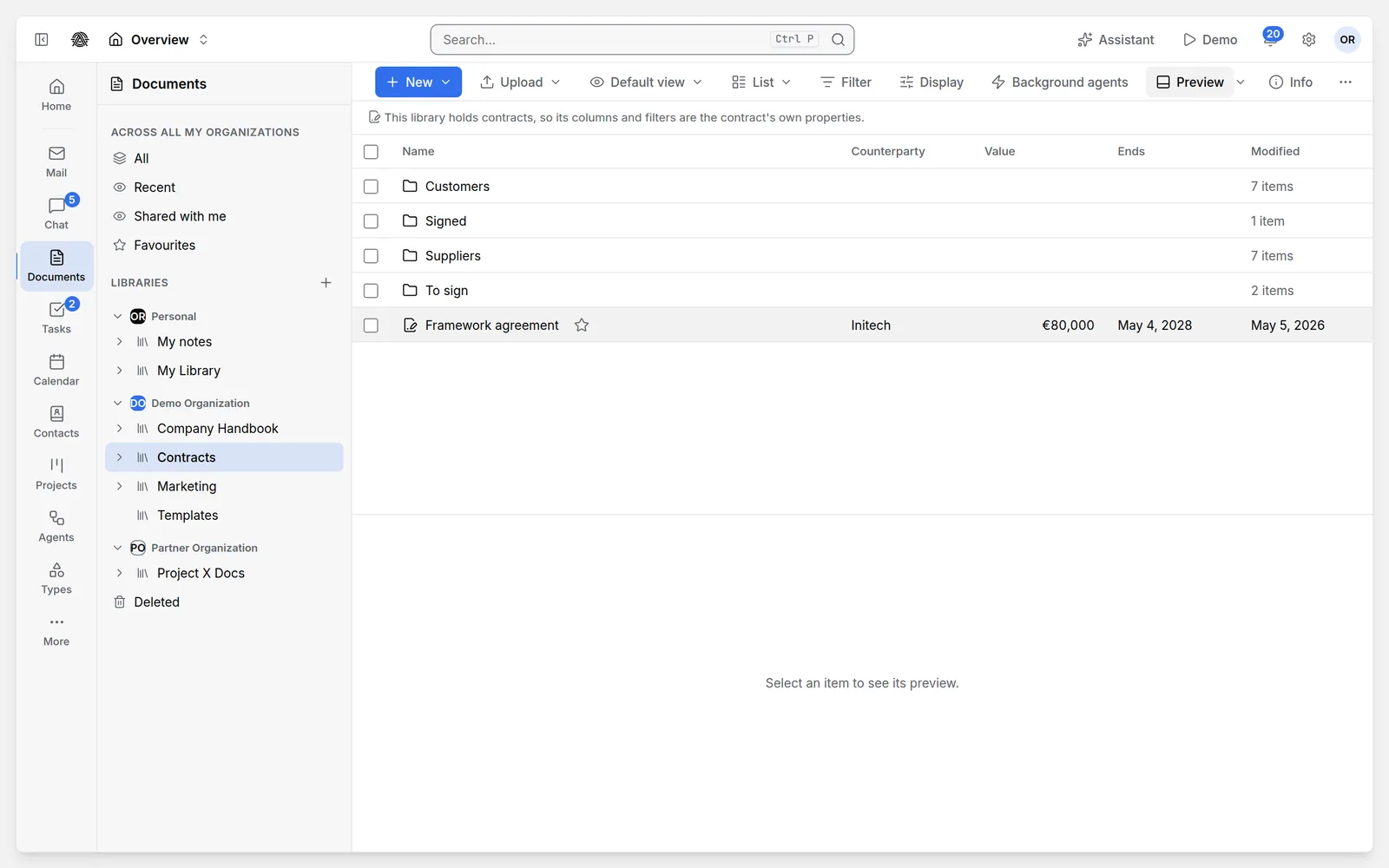
Keep any file
Keep any file in libraries and folders: Word, Excel, PowerPoint, PDF, images, text and Markdown files, and rich documents. Drag in files or whole folders, and the structure comes with them.
Types and properties
Give a document a type when it matters, such as a contract, an invoice or meeting notes. A type has its own properties, so a library of contracts shows their counterparty, value and end date. Meeting notes come ready-made, with a date, a place and attendees linked to your contacts, and their action items are tasks linked back to the notes.
Define your own document types with a paid plan.
Write and edit together
Write rich documents in a block editor: headings, lists, tables, and blocks that show live information from your work, such as your open tasks. Edit Word, Excel and PowerPoint in your browser, together with others at the same time, with no Microsoft 365 subscription. Or open them in the Office or LibreOffice program on your computer.
Files that stay where they are
Documents that live in Google Docs, OneDrive or Dropbox stay where they are, shown in your folders and opened in their own editor. Connections
Upload, and the agent does the filing
An agent proposes the type of a document from its content and fills in its properties; you check and save. The same works for many documents at once.
Versions and recovery
Commit a version when a document reaches a milestone, and a committed version never changes. A document you delete waits in a Deleted view, and you can restore it.
The assistant's suggestions
Ask the assistant to suggest changes to a Word document. They appear as tracked changes in a copy, and the document stays untouched until you accept.